On Thursday, November 12, a lot of offices in Western North Carolina found out how much of their workday runs through Microsoft. Starting around midday, Outlook stopped loading mail for a large share of Microsoft 365 users, and Teams, SharePoint and Copilot had trouble too. Microsoft said a number of its servers had become unavailable, which strained the rest, and it spent the afternoon moving traffic around and bringing servers back.
The question most people had was simple: what's wrong with my email? The honest answer was nothing on their end. That's the uncomfortable part of an outage like this. You can do everything right and still lose an afternoon.
Here's what was going on, and what a small business can set up now so the next one goes easier.
It wasn't your computer
When Outlook stops working, most people restart, reset their password or reinstall Office. During a Microsoft outage none of that helps, and a password reset in the middle of one can cause its own headaches once service comes back.
The quickest check is Microsoft's own service status. If you have an IT provider, they can see it in the Microsoft 365 admin center, where Thursday's problem was tracked as incident EX1550543. If you don't, searching the news for "Microsoft outage" usually answers the question in a minute.
Your email is probably delayed, not lost
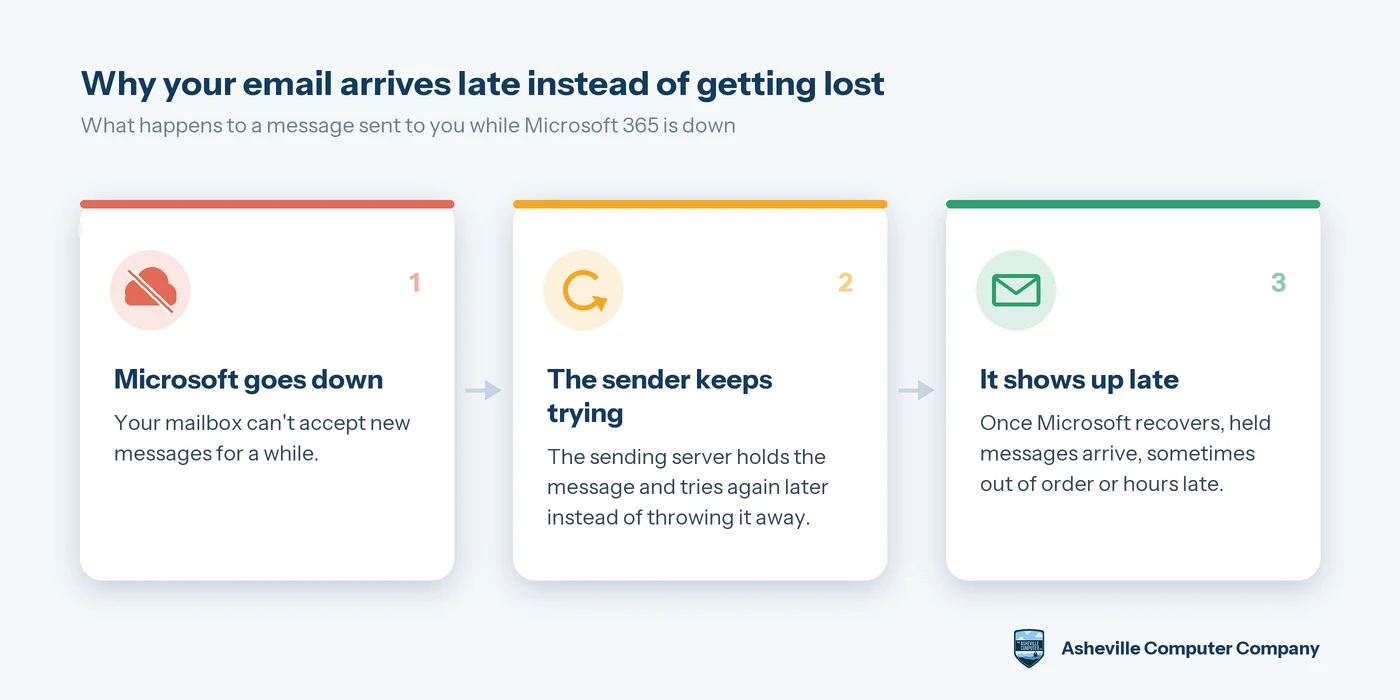
This was the question we heard most. In an outage like this, mail sent to you generally isn't thrown away. The sending server can't deliver it, so it holds the message and tries again later. When Microsoft recovers, messages trickle in, sometimes out of order and sometimes hours late.
So once things are back, look for anything time sensitive that may have shown up late, like orders, invoices and scheduling requests. And if you sent something important during the outage, check Sent Items to make sure it actually went, or send it again.
Have a way to reach people that isn't Microsoft
If your team chats in Teams and emails through Outlook, one outage takes out both. Decide ahead of time how you'll reach staff when that happens. A group text works. So does a phone list kept somewhere other than your Outlook contacts.
Think about the customers and vendors you deal with every day, too. If someone is waiting on a reply from you, a quick text or call ("our email is down, here's what you need") keeps things moving.
Keep the files you need on your computer
Most businesses keep shared files in OneDrive or SharePoint now, which works well until the service is unavailable. OneDrive can keep a copy of a folder on your computer so it opens without a connection: right-click the folder and choose "Always keep on this device." Use it for the handful of files your day depends on, like price lists, schedules or the current job folder. Doing it for everything just fills up the drive.
Outlook on a desktop computer does something similar on its own. In its usual setup it keeps a copy of your mailbox on the computer, so you can still read and search older mail during an outage. You can't send or receive until the service comes back.
Expect scams to follow
Big outages bring out phishing, because people are frustrated and ready to click anything that promises to fix their email. Over the next few days, watch for messages saying you need to "re-verify" your Microsoft account, "restore" your mailbox or sign in again to get your mail back. Treat those as scams unless whoever handles your IT tells you otherwise.
Backups won't fix an outage
Backing up Microsoft 365 with a separate service is worth doing. It protects you when mail or files get deleted, encrypted by ransomware or lost when an employee leaves. It won't keep email running while Microsoft is down, though, and anyone who sells it that way is overselling it.
Depending on someone else's service is a reasonable trade for most small businesses, and Microsoft keeps it running most of the time. What you want is a business that can keep working for an afternoon on the days it doesn't.
A one-page plan for the next one
You can write this in five minutes:
- Who checks whether the problem is Microsoft's or ours, and how they check.
- How we reach staff: the group text or phone list.
- What we tell customers, in a sentence or two someone can text or say on the phone.
- Which folders each person keeps on their own computer.
- What we check afterward: late mail, unsent mail, and any "verify your account" messages.
Tape it somewhere people can find it without opening email.
Final thoughts
Nobody in your office caused Thursday's outage, and there wasn't much anyone could do but wait. What you can control is how much of your day stops while you wait. A phone list, a few files kept on the computer and a plan everyone knows about turn a lost afternoon into an inconvenience.
Asheville Computer Company supports Microsoft 365, email and day-to-day IT for businesses across Asheville, Arden, Fletcher, Hendersonville and Western North Carolina. On a day like Thursday, a lot of the job is confirming the problem quickly and keeping people from chasing fixes that won't help.
Further reading: Microsoft 365 outage disrupts Teams, Exchange Online and other services (Technobezz).